
Peak season does not invent payment problems. It amplifies the ones you already run. Think of a second account nobody can see from checkout, or a daily volume commitment you track in a spreadsheet. Think of a wallet button that only works on staging, or a refund queue that lives in three admin panels.
This checklist is for founders and operations leads on Shopify or WooCommerce who already hold, or are about to hold, more than one payment account. It is not a promise that multi-acquirer routing will raise authorization rates. Measure your own baseline. Treat vendor averages as their population, not yours.
For vocabulary, see What Is Payment Orchestration and Payment Gateway vs PSP vs Orchestration Layer. For the Shopify card slot, see How to Set Up Payment Routing on Shopify (2026 Guide).
Key Takeaways
- Finish account, domain and wallet setup before the traffic spike. Peak week is for watching rules, not discovering that Apple Pay never verified.
- Write routing rules you can explain in one sentence: percentage splits, daily caps, and funnel pins. Know what happens on a decline.
- Temble chooses the route before the charge and does not retry a declined card on another account (Temble homepage, retrieved 2026-11-09). Plan support replies accordingly.
- One ledger export with shop and provider on every row beats three dashboards during dispute season.
- Name an owner for rules, payouts and refunds. An orphaned routing layer is worse than a single PSP you understand.
In this guide
- What "multi-acquirer prep" actually means
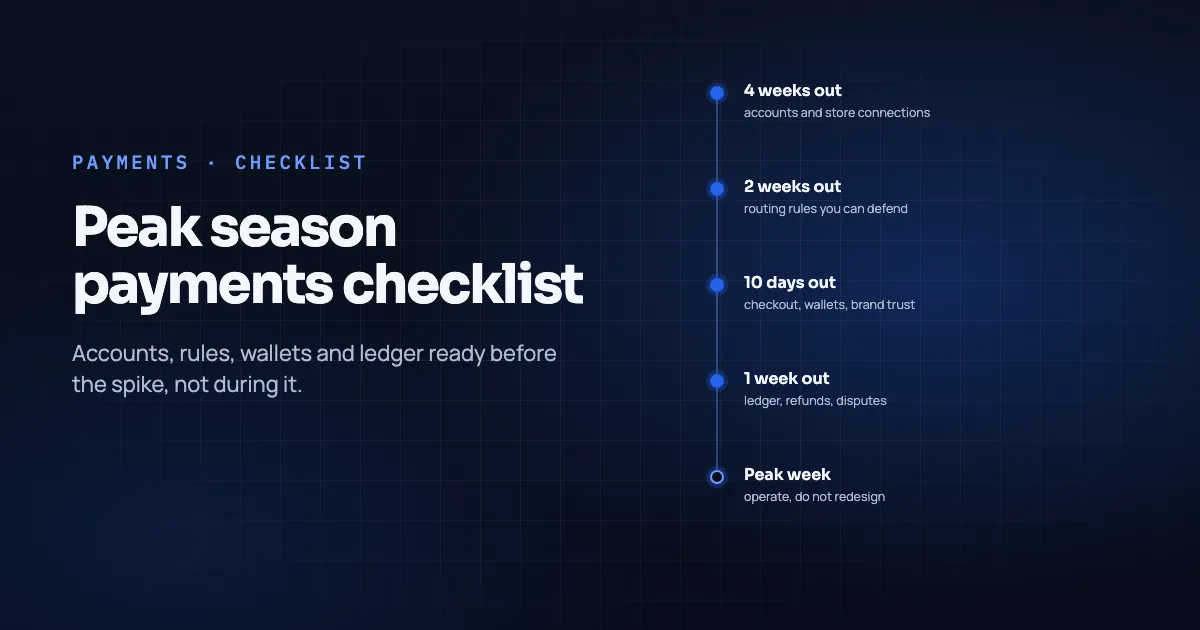
- Four weeks out: accounts and store connections
- Two weeks out: routing rules you can defend
- Ten days out: checkout, wallets and brand trust
- One week out: ledger, refunds and dispute readiness
- Peak week: operate, do not redesign
- Shopify vs WooCommerce: same checklist, different friction
- When a single provider is still enough
- Frequently asked questions
- Conclusion
What "multi-acquirer prep" actually means
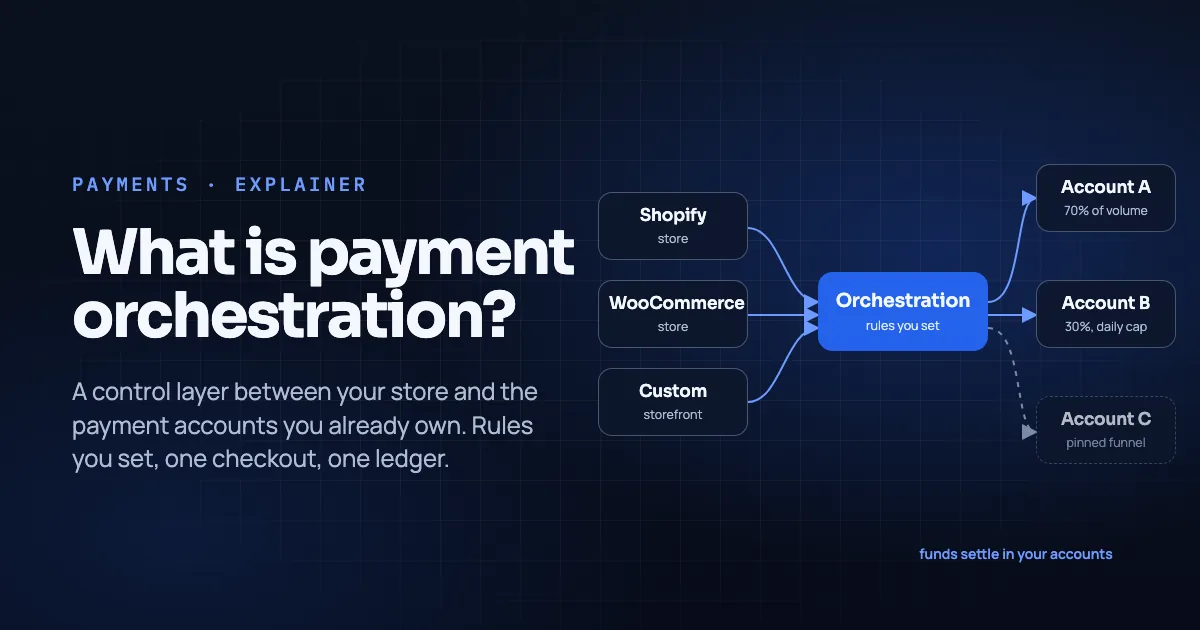
"Multi-acquirer" here means you have more than one destination that can accept a payment on your behalf. Typically that is two processor or merchant accounts in your name. Something then decides which one attempts each order.
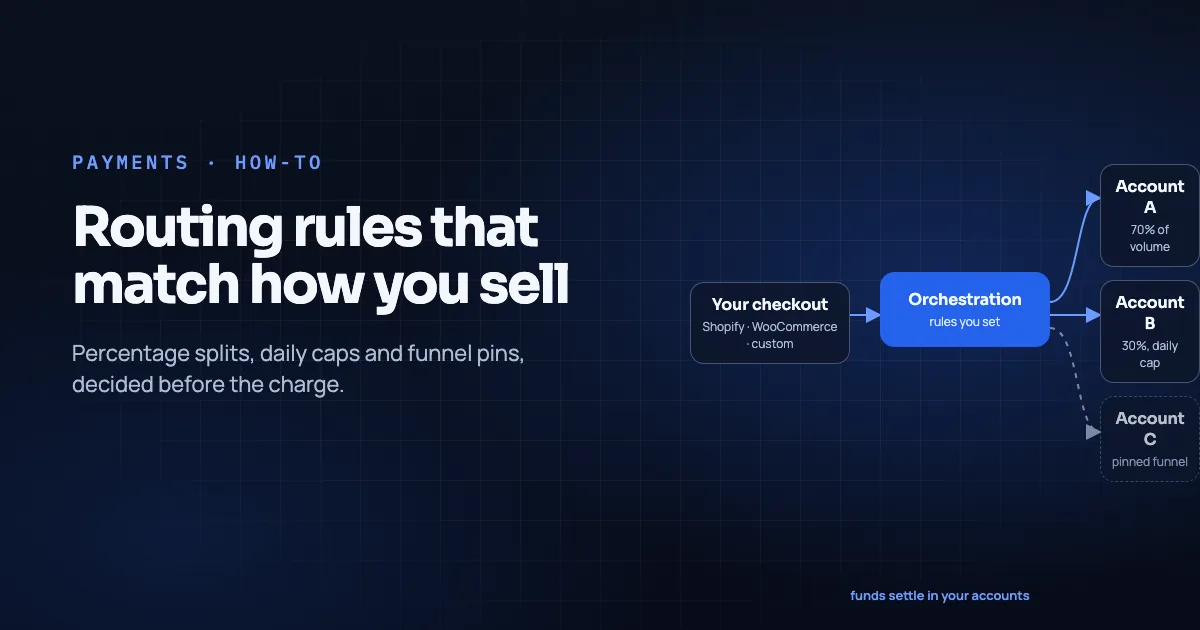
That chooser can be a payment orchestration layer. Temble's published rule types are percentage splits, daily caps and funnel pins. Splits share volume across connected accounts, caps spill to the next account you named, and pins keep traffic on one setup. The route is set before the charge (Temble homepage, pricing page, retrieved 2026-11-09).
It does not mean Temble opens acquiring for you, holds your funds, or invents a second bank relationship. Funds settle in the payment accounts you connect: Stripe or Finix, as listed on the integrations directory. Nothing settles in a Temble account (Temble homepage, retrieved 2026-11-09).
Four weeks out: accounts and store connections
Work this list while you still have calendar space.
- List every live payment account that will take volume: legal entity name, MID or account ID, currencies, payout bank, and who has admin access.
- Confirm each account is ready for peak volume with the provider: risk limits, 3-D Secure settings, settlement currency, and any volume commitments you already signed. That conversation is commercial, not a routing feature.
- Connect the store. Temble connects Shopify from the dashboard and WooCommerce via the WordPress plugin (v1.6.0, tested up to WordPress 6.8 as listed). Custom storefronts use the signed checkout API (integrations directory, retrieved 2026-11-09).
- Connect the payment accounts you will actually use. As of the integrations directory retrieved for this article, connectable processors are Stripe and Finix, Live. Methods follow what each connected account has enabled (integrations directory).
- Run a sandbox end-to-end on each destination: approve, decline, partial refund, full refund. Save the IDs.
Do not add a second account the week before Black Friday "just in case." Onboarding and risk review are not same-day work.
Two weeks out: routing rules you can defend
Write rules as if you will explain them to finance on Monday.
| Rule type | Peak-season use | What to document |
|---|---|---|
| Percentage split | Share volume across two accounts without hard-coding the storefront | Exact % and which accounts; who may change them |
| Daily cap | Protect a volume commitment or risk limit, then spill | Cap amount, timezone used, spill destination |
| Funnel pin | Keep a campaign, market or launch on one setup | Funnel identifier, start/end, owner |
Temble applies those rule shapes before the card is charged (Temble homepage, retrieved 2026-11-09). Publish a short internal note:
- Order of evaluation (first match wins, or whatever your vendor documents).
- Timezone for "daily" caps.
- Who can edit live rules during the event, and who is on call.
Decline behavior: write this twice. Under Temble's published behavior, a declined card is shown to the shopper and is not sent on to another account (Temble homepage, retrieved 2026-11-09). Peak-season support scripts that say "try again, we'll route elsewhere automatically" are wrong for that product. If another vendor you evaluate does offer cross-account retries, verify them in a sandbox and measure separately. Do not assume.
Ten days out: checkout, wallets and brand trust
Peak traffic punishes slow or broken express checkout.
- Hosted checkout on your subdomain. Temble hosts checkout on your own subdomain, from the card form through the thank-you page; card numbers stay in the processor's fields (Temble homepage, retrieved 2026-11-09). Confirm the subdomain resolves, TLS is valid, and the thank-you page matches the brand.
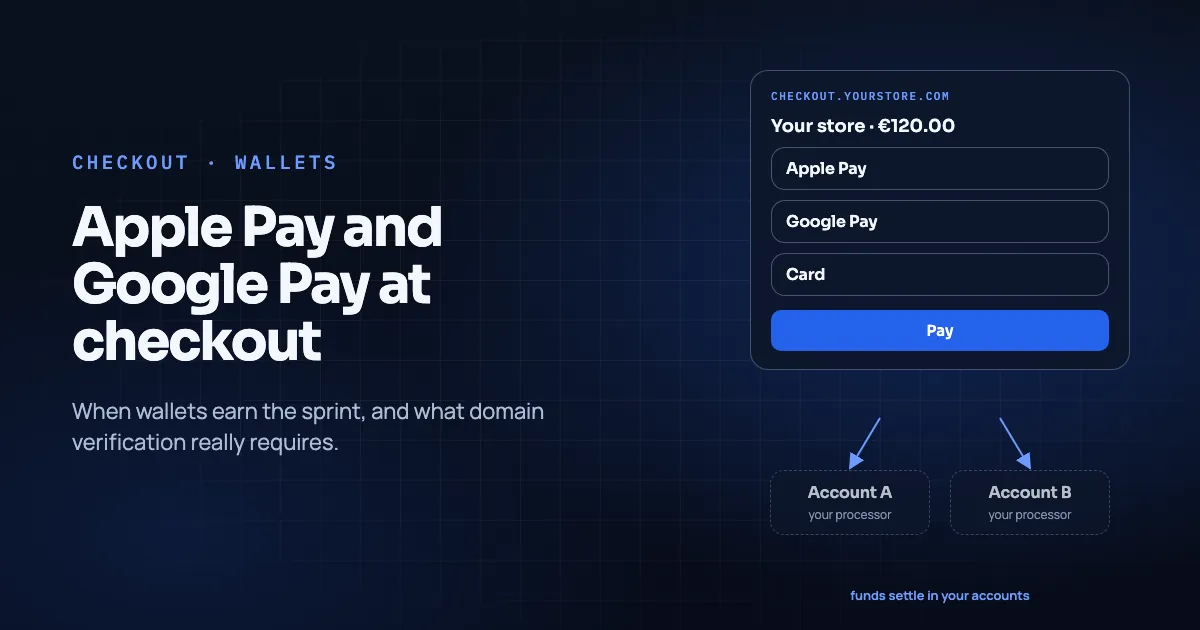
- Apple Pay and Google Pay. Both appear on Temble's hosted checkout where the connected account has them enabled. For Apple Pay, Temble registers the domain with Apple for you (integrations directory, retrieved 2026-11-09). Still: complete a real wallet payment on production (or a production-like domain) before the spike. Domain registration details and why wallets matter operationally are in Wallets at Checkout.
- Promo codes and offers. If you use discount codes or one-click upsells at checkout, test them on the same path shoppers will hit. Temble includes offers in the platform fee (pricing page, retrieved 2026-11-09). Verify the ones you plan to run, not every feature on the page.
- BNPL only if already live on the account. Klarna, Afterpay and Affirm are listed as available through your connected account where that account has them enabled (integrations directory). Do not turn on a new BNPL brand for the first time on Cyber Monday morning.
One week out: ledger, refunds and dispute readiness
Finance and support feel peak season after the ads stop.
- Export a dry-run ledger covering a busy recent day: every channel, every provider, refunds included. Temble's ledger puts Shopify, WooCommerce and custom checkouts in one list with the shop named on each payment, plus refunds and exports (pricing page, retrieved 2026-11-09).
- Match one payout from each connected account to ledger rows. If you cannot reconcile a quiet week, you will not reconcile BFCM.
- Document refund ownership. Who issues the refund in the orchestration ledger versus the store admin? Who talks to the shopper?
- Prepare dispute evidence folders by order template: invoice, delivery proof, customer communication, product description. Chargebacks are not refunds. See Chargebacks vs Refunds.
- Freeze vanity experiments. New payment methods, new rule syntax and new themes can wait until January.
Peak week: operate, do not redesign
During the event:
- Watch cap headroom daily (or more often if caps are tight).
- Watch decline reasons by provider for diagnosis, not for inventing a retry policy the product does not have.
- Change live rules only with a named owner and a written reason.
- Keep a single status channel for payments (Slack or equivalent) so support, ads and finance hear the same facts.
After the event, schedule a one-hour retrospective: which rules fired, which caps spilled, which refunds lagged, which wallet buttons failed. Keep notes for next year. No invented lift required, just the log.
Shopify vs WooCommerce: same checklist, different friction
Shopify. Card acceptance is built around a primary provider model; a routing layer that fills the third-party card slot is how multi-account rules show up. Start with the Shopify routing guide. Confirm theme and checkout handoff still create and update orders as you expect after Temble takes the payment step (integrations directory).
WooCommerce. The payment step can run on the hosted checkout via the plugin; orders and refunds flow back to the store (integrations directory, retrieved 2026-11-09). Peak risk is usually plugin and cache conflicts. Freeze updates mid-event unless you are fixing a live break.
When a single provider is still enough
If one account covers your markets, methods and volume commitments, and reconciliation already fits in one export, keep the architecture boring through peak. Multi-acquirer prep is for merchants who already split volume, or who signed a second account for a reason they can name. It is not for merchants hoping a second MID will magically fix conversion.
Frequently asked questions
Should I open a second payment account just for Black Friday?
Only if there is a concrete commercial or risk reason and enough time to board, test and train support. A half-connected second account is operational debt, not resilience.
Will multi-acquirer routing raise my authorization rate at peak?
Nobody can promise that for your store from a blog post. Some stacks retry soft declines elsewhere; Temble does not (Temble homepage, retrieved 2026-11-09). Measure your own approve/decline mix by provider before and after any change.
Does Temble hold the money during peak payouts?
No. Payments are captured by your connected accounts and paid out on those processors' schedules. There is no Temble balance for your revenue (Temble homepage, retrieved 2026-11-09).
What is included if we already pay the weekly platform fee?
Temble's public pricing lists hosted checkout, routing, ledger, catalog, offers and the API in the $99-a-week platform fee. Processing per successful transaction is on top, with no setup fee (pricing page, retrieved 2026-11-09). Your rate is confirmed in writing at onboarding.
Conclusion
Peak season rewards merchants who finished the boring work early: accounts connected, rules written, wallets verified, ledger matched, owners named. Multi-acquirer tooling helps when you already have more than one destination and need a chooser, not when you are shopping for a miracle authorization number.
Want to walk through splits, caps and pins on your own Shopify or Woo setup before the spike? You can book a 30-minute walkthrough with the Temble team.
About the author. Mattieux Rinot is an SEO Expert at Temble. Temble is a payment orchestration layer that routes payments across a merchant's own accounts and never holds the funds. Mattieux has five years of experience across CRM, customer success and payment processing.
Corrections. Errors go to the contact page; we fix them with a dated update note.
Sources
- Temble homepage (routing rules, decline behavior, custody, subdomain checkout), retrieved 2026-11-09
- Temble pricing (platform fee, included products), retrieved 2026-11-09
- Temble integrations (Shopify, WooCommerce, Stripe, Finix, wallets, BNPL via connected account), retrieved 2026-11-09
- What Is Payment Orchestration
- Payment Gateway vs PSP vs Orchestration Layer
- How to Set Up Payment Routing on Shopify (2026 Guide)