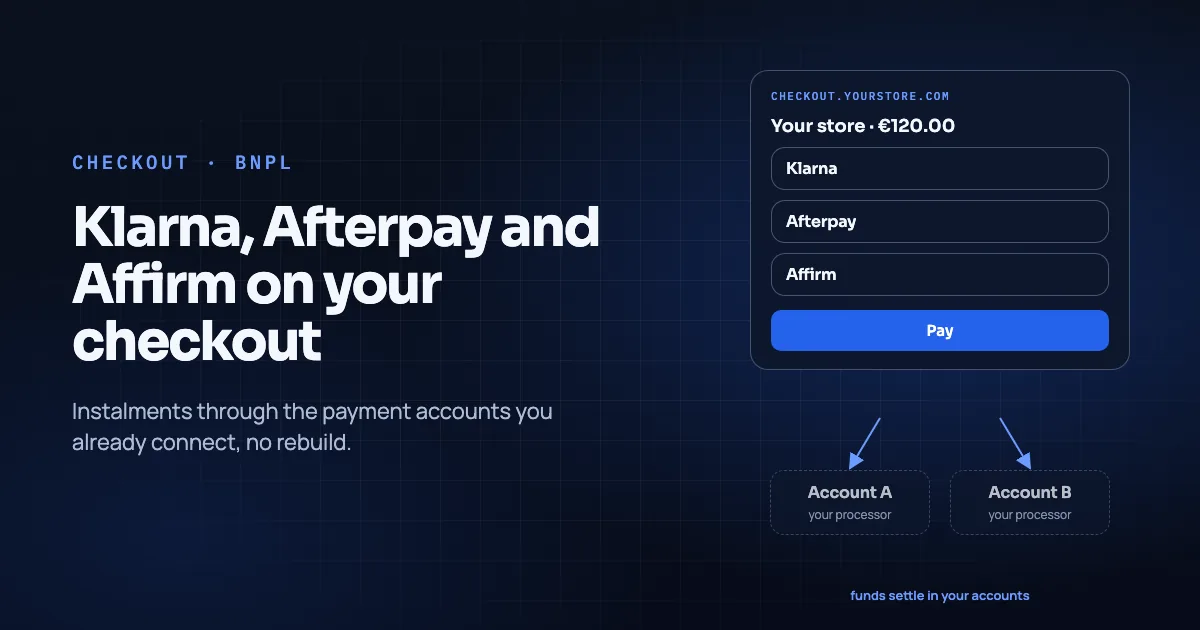
Buy now, pay later (BNPL) is a checkout method, not a reason to rebuild your storefront. On Temble, Klarna, Afterpay and Affirm are listed as payment methods through your connected account. They are served by the processor you connect, where that account has the method enabled. Temble is not an acquirer and adds no payment method of its own (integrations directory, retrieved 2026-11-09).
This guide is for merchants on Shopify, WooCommerce or a custom storefront who already run (or can enable) BNPL on Stripe or Finix. You want those methods on a hosted checkout with routing and one ledger. It does not claim a conversion lift from adding BNPL. Measure your own attach rate and return rate.
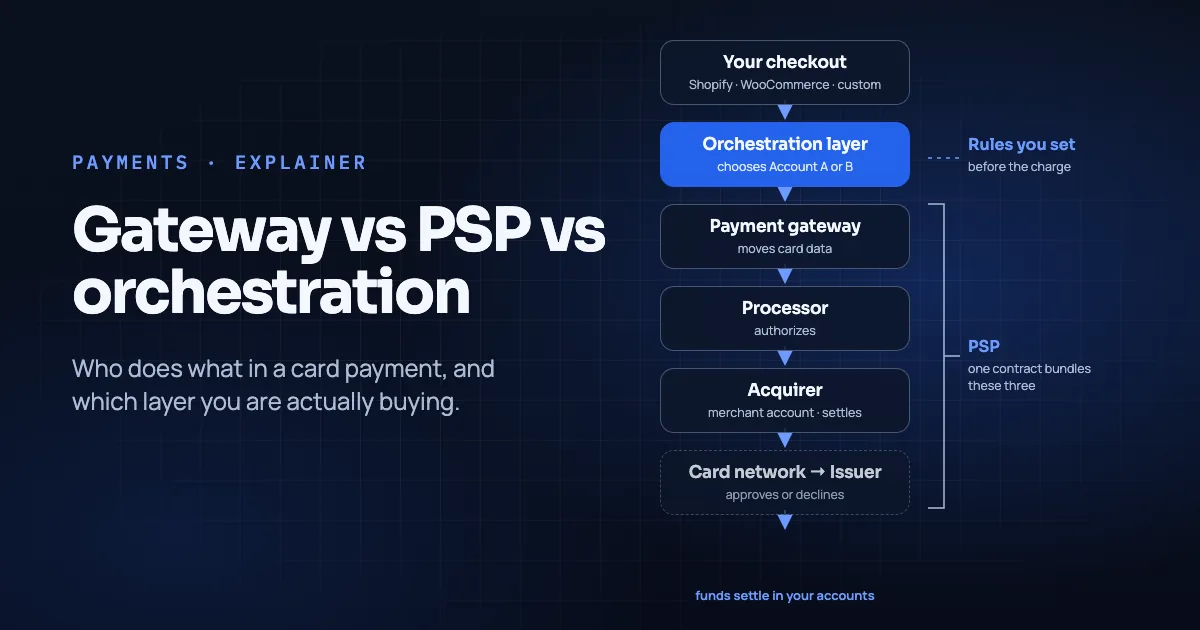
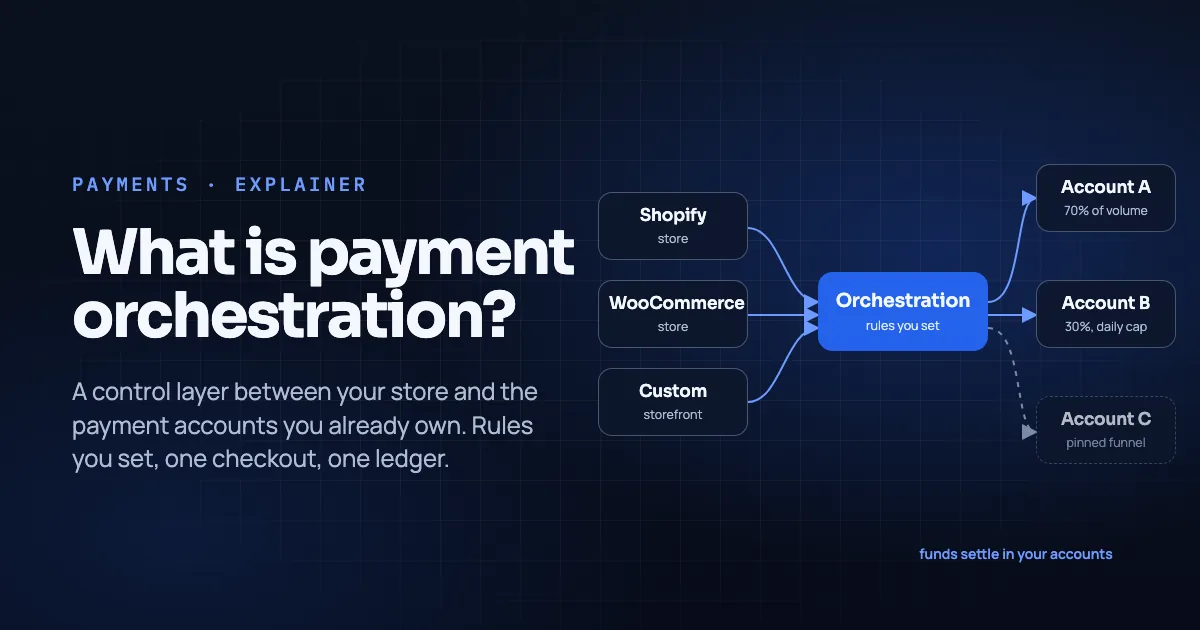
For how orchestration differs from a PSP, see What Is Payment Orchestration and Payment Gateway vs PSP vs Orchestration Layer.
Key Takeaways
- On Temble's integrations directory, Klarna, Afterpay (Afterpay / Clearpay) and Affirm are each marked Via your account, not as Temble-acquired methods (integrations directory, retrieved 2026-11-09).
- Connectable processors listed Live today are Stripe and Finix. BNPL availability follows what you enable on those accounts.
- Shoppers still pay on your hosted checkout subdomain; funds settle in the connected account, never in a Temble balance (Temble homepage, retrieved 2026-11-09).
- Routing rules (splits, caps, pins) still choose the destination before the charge. Declines are not retried on another account (Temble homepage, retrieved 2026-11-09).
- Enable BNPL on the processor first, test a full purchase and refund path, then expose the method on the live funnel. Finish that sequence before peak season.
In this guide
- What "via your account" means
- Why merchants add BNPL without replatforming
- How the path looks with orchestration
- Enablement checklist (processor first)
- What not to claim on the product page
- Fit with wallets and cards
- Shopify, WooCommerce and custom
- Frequently asked questions
- Conclusion
What "via your account" means
Temble's integrations page groups Visa, Mastercard, American Express, wallets and BNPL under Payment methods, through your connected account. The product copy is explicit: methods are served by the processor you connect, where that account has the method enabled. Temble is not an acquirer (integrations directory, retrieved 2026-11-09).
| BNPL brand | Integrations wording (retrieved 2026-11-09) |
|---|---|
| Klarna | Via your account, where your connected account has Klarna enabled |
| Afterpay | Via your account, where your connected account has Afterpay / Clearpay enabled |
| Affirm | Via your account, where your connected account has Affirm enabled |
There is no separate "Temble Klarna MID" in that directory. If Klarna is off on the connected Stripe or Finix account, it will not magically appear because you turned on Temble Checkout.
Contrast that with stores and processors, which the same page marks Live for Shopify, WooCommerce, custom checkout API, Stripe and Finix. BNPL rows use the Via your account badge. Read it as dependency on the processor, not as a Temble beta toggle.
Why merchants add BNPL without replatforming
Typical reasons are operational, not rhetorical:
- Shoppers in a market already expect an instalment option next to card and wallets.
- Average order value sits in a range where instalments are commonly offered by BNPL brands. Confirm eligibility with the BNPL provider and your processor, not with a blog post.
- You already completed BNPL onboarding on Stripe or Finix and only lack a checkout surface that also supports your routing rules and ledger.
Temble's commercial pitch for the platform layer is one checkout, routing and ledger across the accounts you own (Temble homepage, pricing page). BNPL rides that surface when the connected account allows it. It is not a parallel stack you rebuild in the theme.
How the path looks with orchestration
Shopper → Temble Checkout on your subdomain
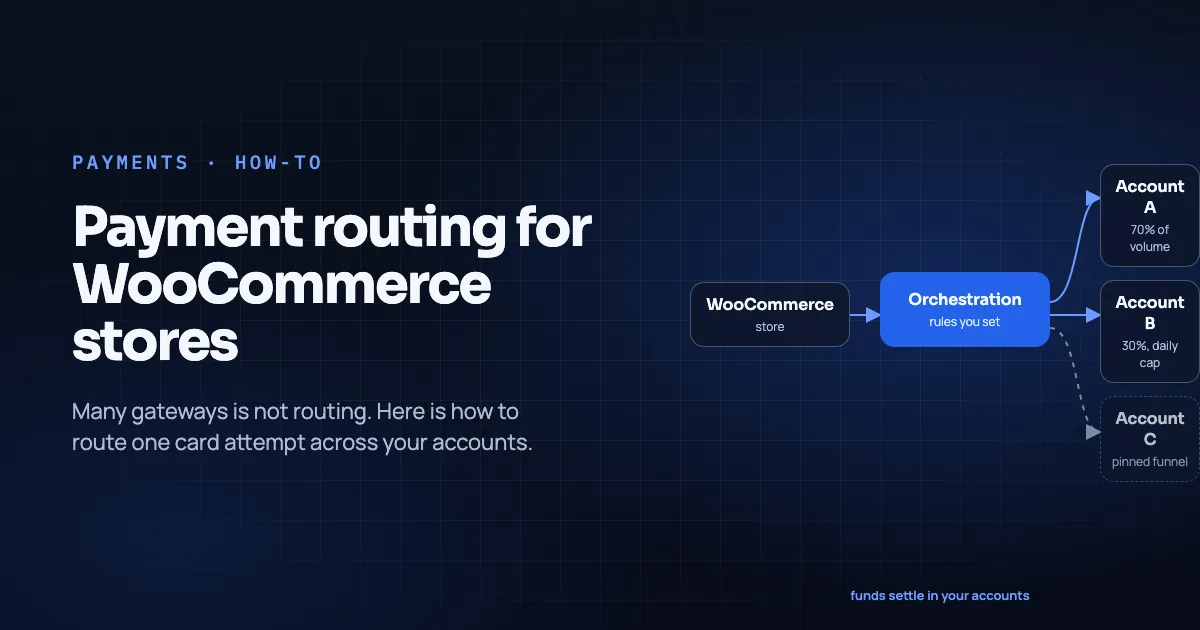
  → Routing rules pick connected Account A or B (before the charge)
    → Account A/B presents methods it has enabled (card, wallet, BNPL)
      → BNPL provider flow (as configured by that processor)
        → Result returned to checkout and ledger
Important published behaviors:
- Route before charge. Percentage splits, daily caps, funnel pins (Temble homepage, retrieved 2026-11-09).
- No cross-account decline retry. A declined attempt stays declined for the shopper (Temble homepage, retrieved 2026-11-09).
- Non-custodial settlement. Funds land in the connected payment account; no Temble balance (Temble homepage, retrieved 2026-11-09).
- Card data (when cards are used) stays in processor fields. BNPL has its own redirect or widget flow, owned by the method's provider through the processor integration.
Suppose Account A has Klarna enabled and Account B does not. A rule that sends the order to B will not show Klarna for that attempt. Method menus follow the destination you routed to.
Enablement checklist (processor first)
- Confirm BNPL on the connected account in Stripe or Finix for the legal entity, countries and currencies you sell. Complete any BNPL-provider underwriting they require.
- Confirm Temble connection of that same account as a routing destination (integrations directory).
- Map which funnels should see BNPL. Pin a high-AOV funnel to an account that has BNPL if your other account does not.
- Place test orders for Klarna, Afterpay and Affirm separately (only for brands you actually enabled). Complete shopper approval flows in test mode where available.
- Refund and cancel paths. Issue a refund from the Temble ledger and confirm store + processor state. Know whether partial refunds are supported for that BNPL product on your processor.
- Support macros. BNPL disputes and returns often involve the BNPL brand's customer channel as well as yours. Document who answers what before you advertise the button.
- Accounting. Instalment plans can confuse cash-flow reporting if finance expects "paid in full" on day one. Align with whoever owns revenue recognition.
What not to claim on the product page
- Do not list BNPL as "Temble-acquired" or "included regardless of processor."
- Do not imply all three brands are live in every country on every account.
- Do not promise higher conversion, lower decline rates or lower churn from BNPL in this article.
- Do not assume Afterpay and Clearpay branding are interchangeable in every market without checking the connected account's configuration. Temble's directory notes Afterpay / Clearpay together as one row (integrations directory).
Fit with wallets and cards
BNPL sits beside cards and wallets on the same hosted checkout. Apple Pay and Google Pay are also Via your account; Temble registers the Apple Pay domain for you (integrations directory, see also Wallets at Checkout). Shoppers choose a method; routing has already picked which of your accounts may accept that checkout session's payment attempt under your rules.
Shopify, WooCommerce and custom
- Shopify: Connect from the Temble dashboard; hosted checkout takes the payment step and returns the order; theme stays yours (integrations directory). Card-slot constraints remain relevant for how third-party providers attach. See the Shopify routing guide.
- WooCommerce: Plugin v1.6.0 (as listed) runs the payment step on hosted checkout; orders and refunds flow back (integrations directory).
- Custom / headless: Signed checkout sessions and webhooks for payment, refund and dispute events (integrations directory).
Frequently asked questions
Is BNPL on Temble a Live product or a Beta?
The integrations directory marks Klarna, Afterpay and Affirm as Via your account, not with a separate Live/Beta badge like the store connectors. Treat availability as "depends on the connected Stripe or Finix account having the method enabled," per that page (retrieved 2026-11-09).
Does Temble underwrite my Klarna / Affirm / Afterpay relationship?
No. Temble's public integrations copy says it is not an acquirer and adds no payment method of its own (integrations directory, retrieved 2026-11-09). Underwriting sits with the processor and the BNPL brand.
Can I route 70% of BNPL to one account and 30% to another?
You can write percentage splits across connected accounts. Each attempt still only offers methods enabled on the account that receives it. If only one account has BNPL, BNPL volume effectively follows rules that land on that account.
Will a declined BNPL attempt retry on my other account?
Not on Temble's published behavior. Declines are shown to the shopper and not sent on to another account (Temble homepage, retrieved 2026-11-09).
Conclusion
Klarna, Afterpay and Affirm can sit on Temble Checkout without a storefront rebuild. That holds when, and only when, your connected Stripe or Finix accounts already (or will) enable them. The orchestration layer supplies the subdomain checkout, the routing rules and the ledger. The BNPL credential still comes from the processor relationship you own.
Check the integrations directory for the current badges before you brief marketing. Then test purchase, refund and support paths on the same accounts you will use in production.
To review BNPL beside routing rules on your own setup, book a 30-minute walkthrough.
About the author. Mattieux Rinot is an SEO Expert at Temble. Temble is a payment orchestration layer that routes payments across a merchant's own accounts and never holds the funds. Mattieux has five years of experience across CRM, customer success and payment processing.
Corrections. Errors go to the contact page; we fix them with a dated update note.
Sources
- Temble integrations (Klarna, Afterpay/Clearpay, Affirm via connected account; Stripe/Finix Live; Temble not an acquirer), retrieved 2026-11-09
- Temble homepage (routing before charge, decline behavior, custody, subdomain checkout), retrieved 2026-11-09
- Temble pricing (platform inclusions), retrieved 2026-11-09
- What Is Payment Orchestration
- Payment Gateway vs PSP vs Orchestration Layer
- Wallets at Checkout: When Apple Pay and Google Pay Move the Needle
- How to Set Up Payment Routing on Shopify (2026 Guide)